You teach for hours. The clips are what never get made.
A recorded workshop or lesson is full of short, self-contained explanations: one concept, one example, one answer to a common question. Those make good short clips because they show prospective students how you teach before they commit to anything. Cutting them by hand, though, takes another evening in an editor, and it rarely happens.
ChopHub does that cutting for you, then captions, titles and posts the clips. You keep teaching; the recordings keep working. The homepage has the full overview.
How it works for a workshop or lesson
- Upload the recording. A workshop, a recorded group call, a lecture or a course lesson. Upload the video file (MP4, MOV, AVI, MKV, WebM, M4V, FLV or WMV) or paste a public YouTube link.
- ChopHub finds the lessons inside it. It transcribes what you said and picks passages that stand on their own, a complete explanation rather than half a thought. Set a clip length and a target number of clips if you want a specific number.
- Captions, crop and titles. Captions are burned in with word-level timing, so clips work with the sound off. Each clip is cropped to vertical with you in frame, and on paid plans AI titles are written for each one.
- Review, then schedule. Edit titles, captions and hashtags, then let the scheduler post across the week, or publish each clip yourself with one click.
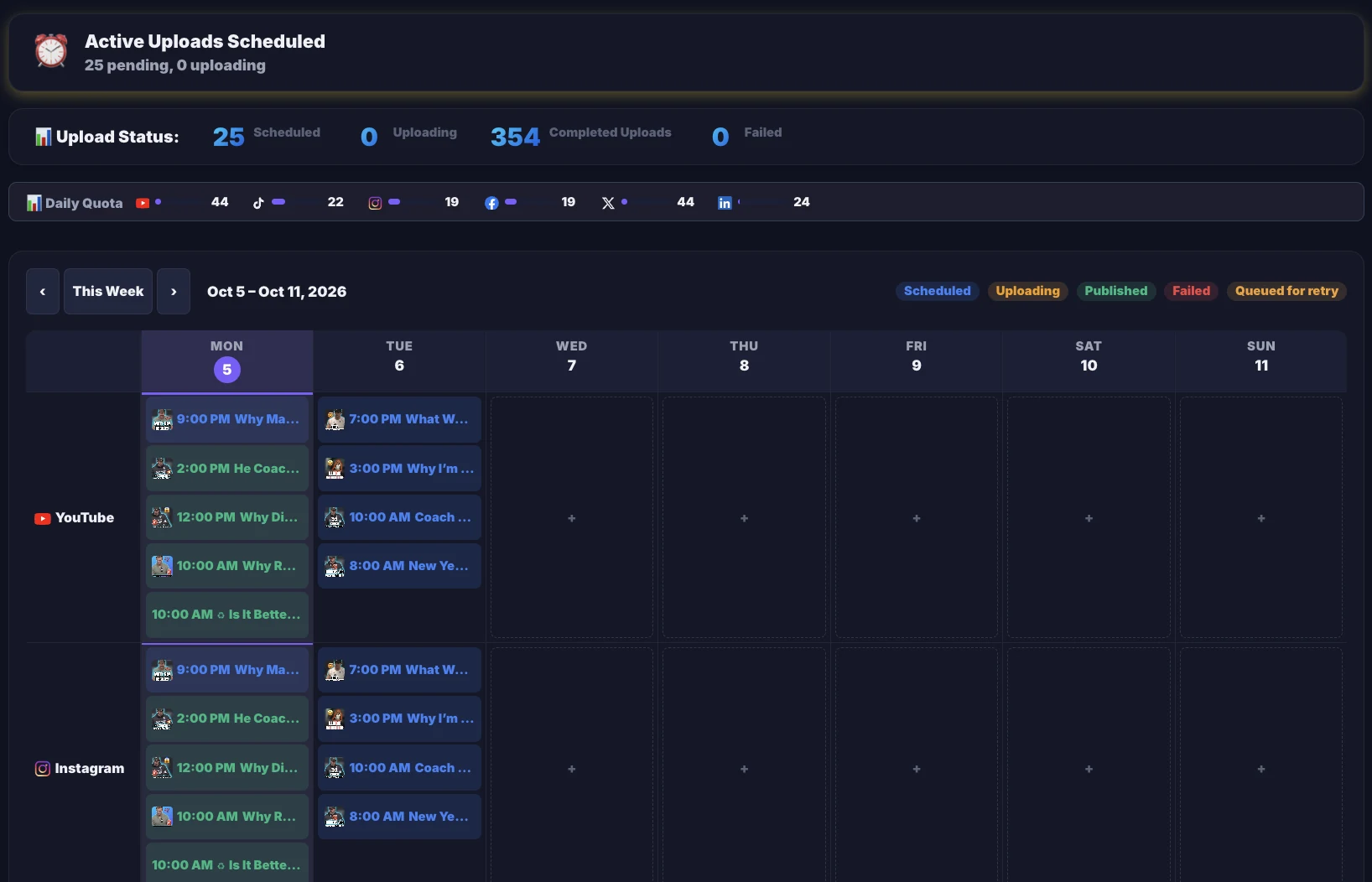
Clips are typically ready in minutes, not hours, depending on the length of the recording.
Making clips that teach
One idea per clip
A 20 to 60 second clip has room for one point made well. ChopHub looks for complete thoughts, and in Studio you can delete a tangent from the transcript and it's cut from the video, or remove filler words and silences in one pass.
Reach learners in other languages
Captions are available in 30 languages, with automatic language detection. On Pro and above, Studio can also translate a clip's transcript and re-voice it with a text-to-speech voice. It's a generated voice, not a clone of yours.
Look like your brand
Studio offers 50+ caption styles on every paid plan. On Pro and above, it also saves your logos, watermark and progress bar as a brand kit preset you apply in one click.
Keep good lessons in circulation
Teaching content doesn't go stale the way news does. Turn on evergreen recycling and your best performers, ranked by real views, are re-queued into open slots, so your calendar keeps filling between recordings.
A note on recordings with clients or students
If a session includes clients or students, get their permission before clips of it go public. ChopHub posts what you schedule, so if you need to check every clip, leave scheduling off and publish each one by hand after review.
ChopHub does not use your content for training. Processed clips are kept for 30 days, original uploads are deleted automatically within 7 days, and the privacy policy has the full detail.
Who this is for, and who it isn't
A good fit if you…
- Run workshops, group programmes or live trainings that you record
- Teach recorded lessons or lectures and want them seen outside the course
- Post to a personal profile and a business page, and want one upload to cover both
Probably not a fit if you…
- Need a course platform. ChopHub makes and posts clips; it doesn't host courses or students
- Teach mainly through on-screen work with little speech. Moments are picked from the transcript
- Already film short-form natively and have no long recordings
Questions people ask
Can ChopHub turn one long workshop into several short lessons?
Yes, that is what it does. Upload the recording and ChopHub picks the passages that make sense on their own, then cuts, crops, captions and titles each one. You can set a target number of clips and a clip length.
Can I post the same clip to several accounts?
Yes. You can connect multiple accounts per platform, including LinkedIn Company Pages, and publish a clip to all of them from one upload. Publishing never uses credits.
Can I review clips before they go public?
Yes. Leave scheduling off and publish each clip from the dashboard with one click when you are happy with it. You can edit titles, descriptions, captions and hashtags first.
Can clips be made in another language?
Captions are available in 30 languages, with automatic language detection. On Pro and above, Studio can also translate a clip's transcript and re-voice it with a text-to-speech voice. It is a generated voice, not a clone of yours.
Does ChopHub host my course?
No. ChopHub makes short clips from your recordings and posts them to social platforms. It is not a course platform, so your lessons and students stay wherever you host them now.
What does it cost to try?
The Free plan costs nothing and needs no card: 30 free credits to start (30 minutes of video, one-time — they don't refill) and up to 2 videos a month, up to 5 clips per video, sources up to 30 minutes, and auto-posting to YouTube Shorts, TikTok and Instagram. Clips made on Free carry a ChopHub watermark.
Keep reading
Try it on one recorded session
Free plan, no card. Upload one workshop or lesson and see what comes back.
Clip My First Lesson Free →